

Notifications
Clear all
Instruments
3
Posts
2
Users
0
Reactions
705
Views

Topic starter
Hey guys, I wanted to show the design process of how I developed ProducerBuzz Phaser plugin, I have used GIMP as main base design software, which is a free version of Photoshop, it's harder to use, but once you get used to it, it's like bread and butter!
For the programming side, I have used a combination of AI such as chat GTP, GROK, Microsoft Visual Studio, Juce v8 and a combination of Windows and macOS, where I also had to used Xcode for deployment of VST3 and AU for macOS. Of course some coding language knowledge come in handy, the main issue here is understanding the whole flow of the setup and deployment to most major DAWS.
I must admit, programming a VST plugin in C++ is quite hard, but after a while you will kind of get used to it. When I first started a couple of months ago, I could-not even get the text to change colour or size, which was quite embarrassing to be honest.
Before I show you my design below and process of how I developed the user interface for Phaser VST. I would like to outline some obstacles which I have come across when using Juce V8 and MS Visual Studio for programming the VST.
- When I downloaded and started using juce v8 for developing my VST plugin, I simply had no idea where to start, it's essential to know the basics before you start in my opinion, look up some courses if you're looking into the development of VST plugins.
- Planning, what sort of plugin you're going to use, as each plugin will require different Juce modules and settings, and features, trust me, I never knew there's 8/9 different styles of plugin (settings) layouts and formats, with tonnes of modules. Sticking to Audio Plugin instead of GUI based plugin made the process a lot easier in my opinion.
- Planning on how you want the VST to look, I had no idea, when it came to this, I sketched few design months earlier, but in the end came up with my final design, which was far from the first mock up I have done.
- Getting the VST plugging in your DAW can be very hard, especially if you have never developed a VST plugin. I had no idea where to start, but an online course on using JUCE has helped me allot, I did kind of stopped halfway through the course and decided to look at other YouTube tutorials and research certain features independently, ask AI bots questions and do thorough research into the topic and features I was looking at, so I can gain extra knowledge in the fields of what I was looking for. There's like 50 different ways to add a slider or a simple button, with different outputs and different features, it took me a while to find my style and my design theme. Of course, when it comes to design, this is quite endless, since a VST plugin can look like anything the developer wants.
- Exporting and testing VST plugin is hard, as it comes in share-code, standalone, VST. VST3 and if you need extra AU, AAX and other exporting features, understanding how deployment works took me weeks and weeks of learning, it's definitely something no one talks about, but it's harder than you think.
- And again, no one ever told me that you will need to use same project on macOS, get Xcode, install mac version of JUCE and you will need to deploy the macOS version of your VST plugin on macOS, this took many hours of struggle, understanding. This process was quite hard at first as I had no idea what settings I need, also including the pip metadata for VST3 and AU exports, setting up my projucer project correctly, setting up x-code to export all the necessary files, it took me about 50 exports to fully get the correct version and understand the whole process correctly. Took me hours to find out which version to use in Xcode for VST3 and AU work correctly on all macOS versions.
- There's, so much to write on here, there are so many obstacles when it comes to making a VST plugin, I almost gave up half way and took a few weeks break from it, as I simply could not get a VST3 export, it was that difficult.
Anyway, here is my design break down of how I developed Buzz Phaser VST
These are the background elements designed in GIMP.

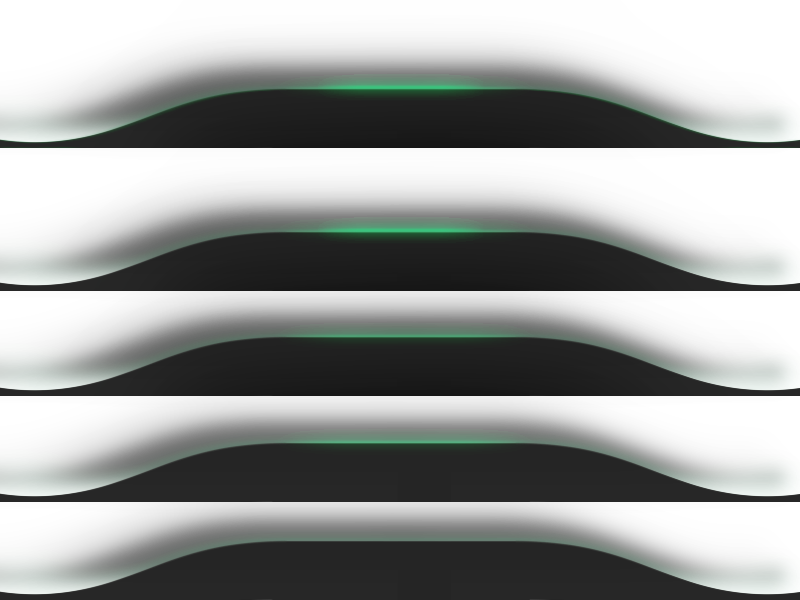
This is the upper and lower tab space showcase design I made in Gimp.

The UI buttons, which I have designed in GIMP. They look a bit fuzzy below, but they are higher resolution in original format, maybe because I had to resize them all for this showcase process.

I then put all these together, and as you can see you get this below, (I also added a cool green spatial lines to make it look modern;

Everything else below was added using c++ coding, Juce v8 and MS Visual Studio.

This is how I designed and developed my first ever VST plugin, took me a few months to learn everything, but it was well worth it. Many hours of sweat, struggling, basically loosing my brain cells trying to figure out simple tasks, but in the end it was all worth it. I am now working on my 6th and 7th VST plugins, and the process is lot easier now as I understand the fundamentals and the whole algorithm of how this works.
Hope you guys enjoy my post update on my VST plugin development process and how I made my first ever VST plugin. (Well, I say first, but this was my 2nd version, as the first design looked a bit cheap).
This topic was modified 1 year ago by PAV - justproducer
Posted : 17/09/2025 3:41 pm

Looks good. I used Gimp when I started designing. I have a paid version of Photoshop. I pay monthly. Because when I was using Gimp. Knowing Gimp made learning Photoshop easy. There's differences. I know both have layer styles with Photoshop you can see a preview of them. Both of them can make awesome graphics. It's comes to personal preference. I prefer Photoshop.
Posted : 12/03/2026 1:38 am
Topic starter
Photoshop is great when it comes to VST design that's true, GIMP can however achieve the same and its free and open source. It took me couple of months to get used to GIMP, to be honest I prefer it when it comes to certain features, once you get used to GIMP (software) it's a solid platform image manipulation tool.
However, Figma is a much better online UI design tool. I have used this to design some major professional looking VST plugin UI, you should check it out!!
Once you use Figma, you won't go back to photoshop or GIMP, well at least I won't, but it's a personal preference to be honest.
Posted : 03/07/2026 10:12 am
