

Notifications
Clear all
FL Studio
1
Posts
1
Users
0
Reactions
539
Views

Topic starter
Hey guys, I wanted to share some of my knowledge when it comes to making an intro for any song or musical composition project inside FL Studio.
This is quite simple, in most cases what music producers do is simply producer the main structure of the whole song which will include:
- Drum kicks, snares or claps.
- Percussions.
- Hi-hats.
- Lead chord melody of the song or track.
- Main melody.
- Bass or sub.
Once all of these are within the composition, I have created a quick project to showcase this, check it my diagram out below, this structure can be used for any style/technique for any genre and any style of production.
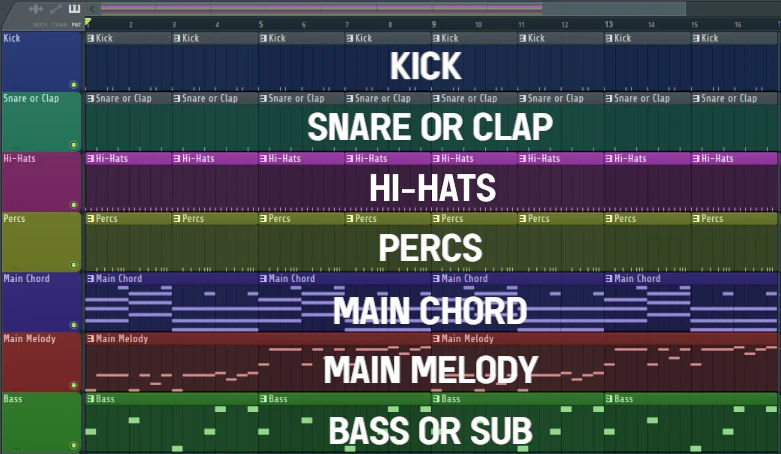
Once you guys manage to create a beat skeleton as shown above, this can now be segmented down to create an intro for the song.
To do this, segmenting out and removing some of the structure from the main song pattern will create an intro.
As you can see below: the kick, snare or clap, hi-hats, percs and bass or sub have been simply removed from the pattern to make give more lead to the chord progression and melody.
This is a technique used by many producers across many different genres.
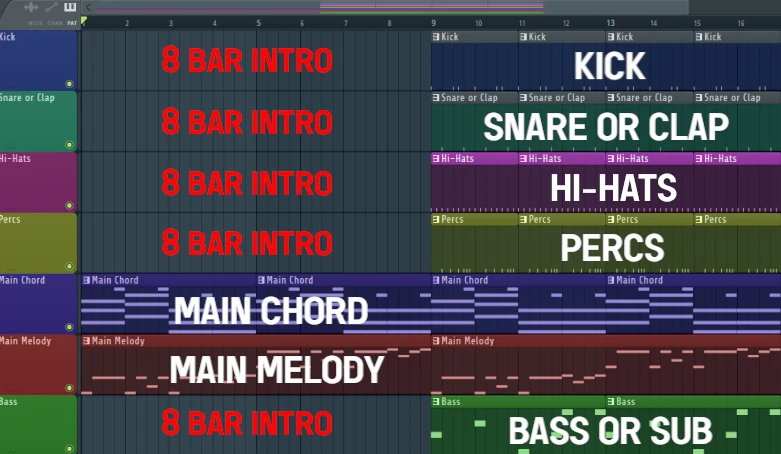
Then towards the end section, often an intro transition swoosh "rising" sound can be used to create a difference between the intro and main song or track composition.
This is quite simple:
- Select a cymbal sound and add it to the playlist within the pattern.
- Double-click on the cymbal sound to get the properties (settings menu) of the sample.
- Click on reverse.
- this will turn a cymbal into an uprising swoosh sound.
This is a technique I have used for many years within my beat compositions.
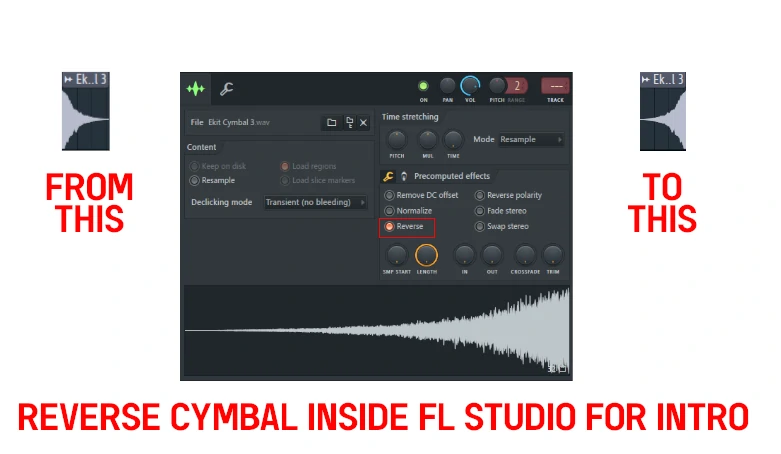
This reverse cymbal can then be added into the end of the intro within the FL Studio playlist, check out my example diagram shown below:
Now, this transition sound may stick within the sections of grid within the playlist, to change this simple click on "snap to grid menu icon within the FL playlist" and then select "none" this will allow the "reversed transition sound within the end of the intro to be placed precisely within the position.
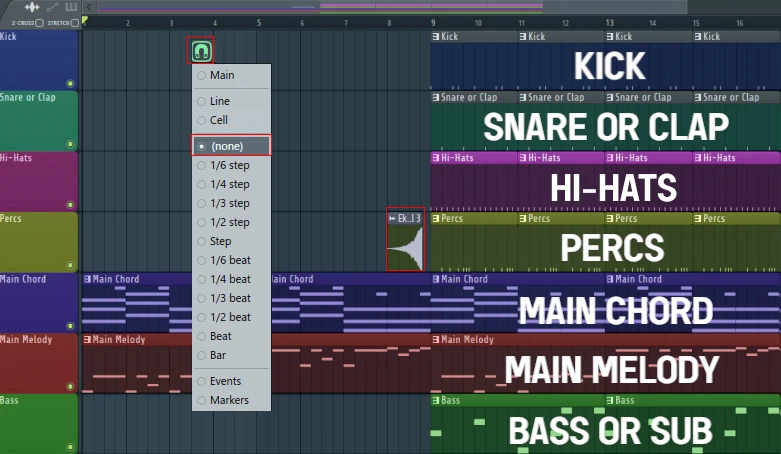
This can now be placed precisely within the playlist as shown below:
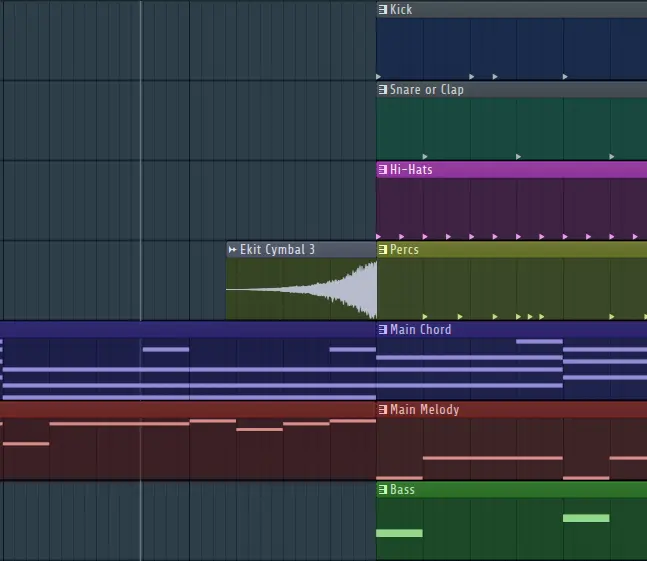
It's as simple as that when it comes to create a simple, yet effective introduction within a song or track inside FL Studio.
I hope my step-by-step guide will help you guys, if you guys have any questions drop them below, within this guide.
This topic was modified 8 months ago by PAV - justproducer
Posted : 19/06/2025 12:43 pm
